

Automatically Plot any trade in TradingView
KvD · April 14, 2022
About TradingView
TradingView is a powerful charting platform, technical analysis tool & community for both beginners and experienced traders. It offers state-of-the-art charting for any market in the world, it has a very intuitive user interface and it´s packed with features.
TradingView is loved by it´s users, if you sumble upon a review, you will see that reviewers generally rate TradingView very high.
The do offer integration to a limited number of brokers but not any trading journaling capabilities.
TradingView has both a free version and a paid tier where the free tier actually has more than what you would expect.
If you haven´t already, head over to tradingview.com and check it out!
What traders want
The kinfo platform already uses some of TradingViews charting technology for charting trades.
When viewing a trade in the trading journal, the chart displaying entries and exists comes from TradingView.
though it´s a light version of their platform and it doesn´t offer any advanced capabilities such as drawing or adding additional data to the chart.
A number of users have been asking for a way to view the trading chart in fullscreen.
It may be added as a feature in the future but the ability to export the trades and plot them directly in TradingView provides even more flexibility.
Export a trade to TradingView
Follow this step-by-step guide to export a trade and plot it as indicators in a TradingView chart.
- Click in a trade to expand it which brings up tha chart and transactions.
- Click on Export to TradingView under the chart
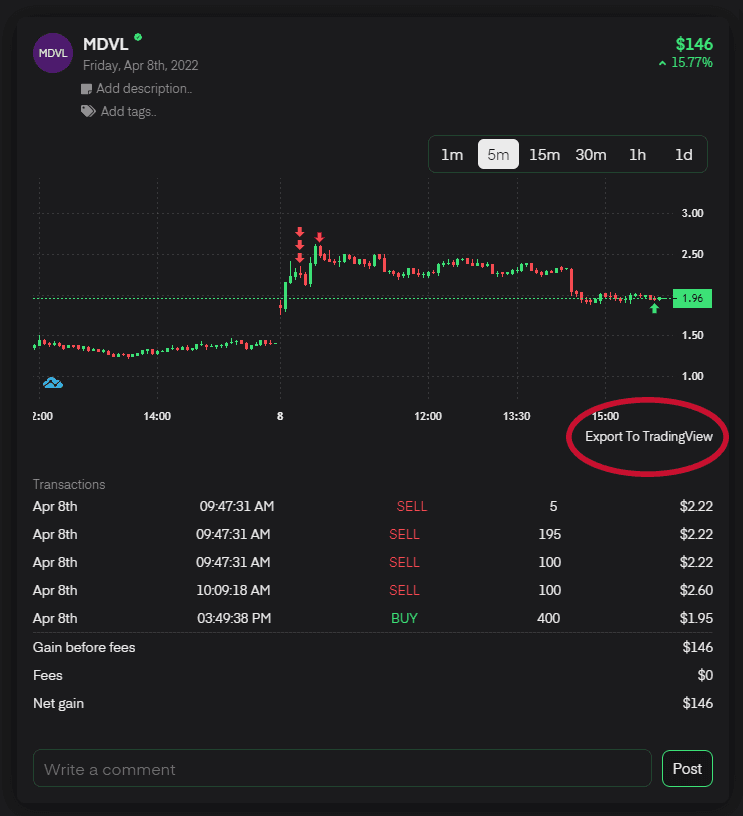
A new window will show an auto-generated script.
- Click on Copy to clipboard
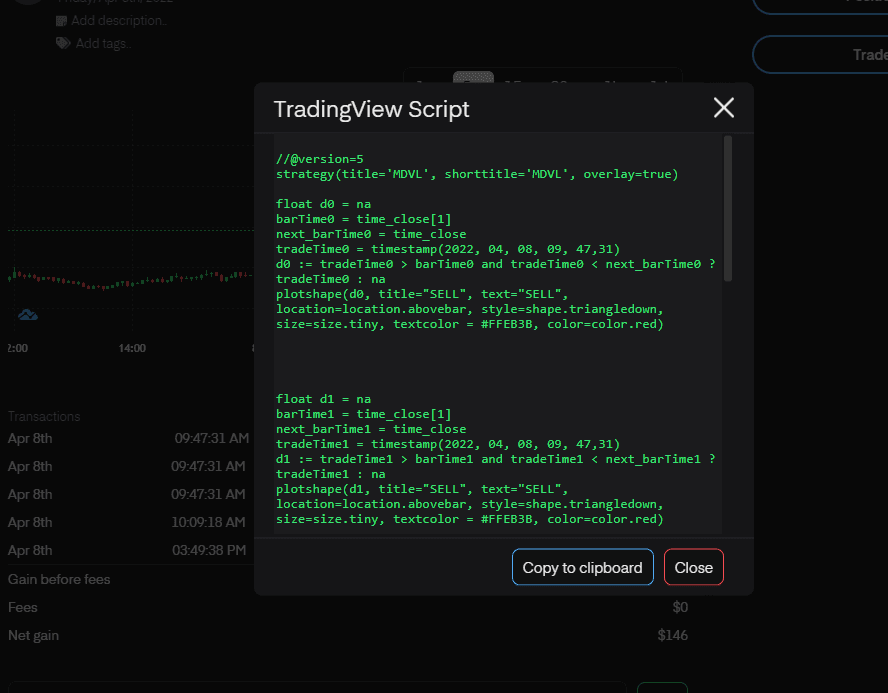
Open up TradingView in a separate browser window
- Open up a chart for the ticker you want to chart your trade for
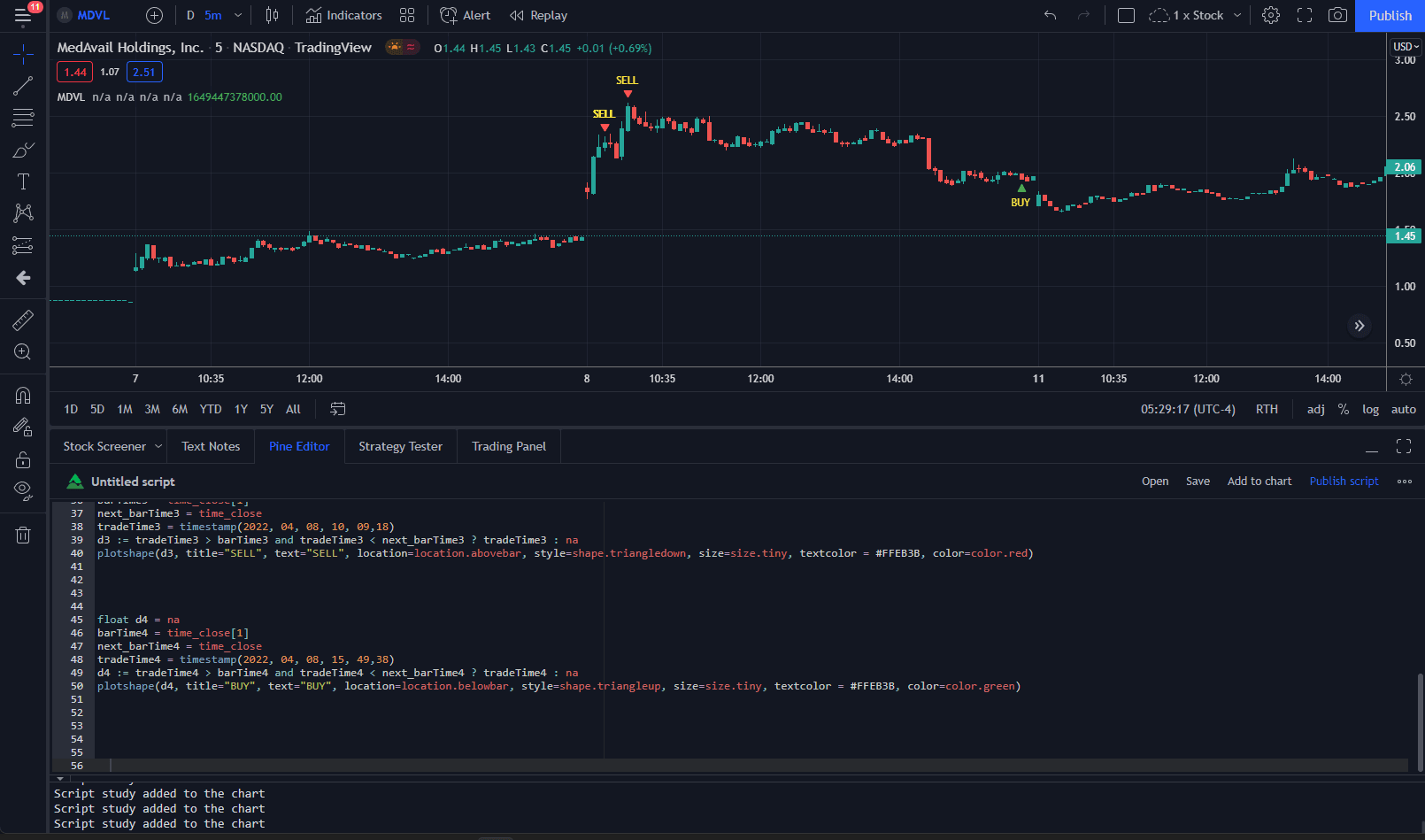
- Click on Pine Editor at the bottom of the screen
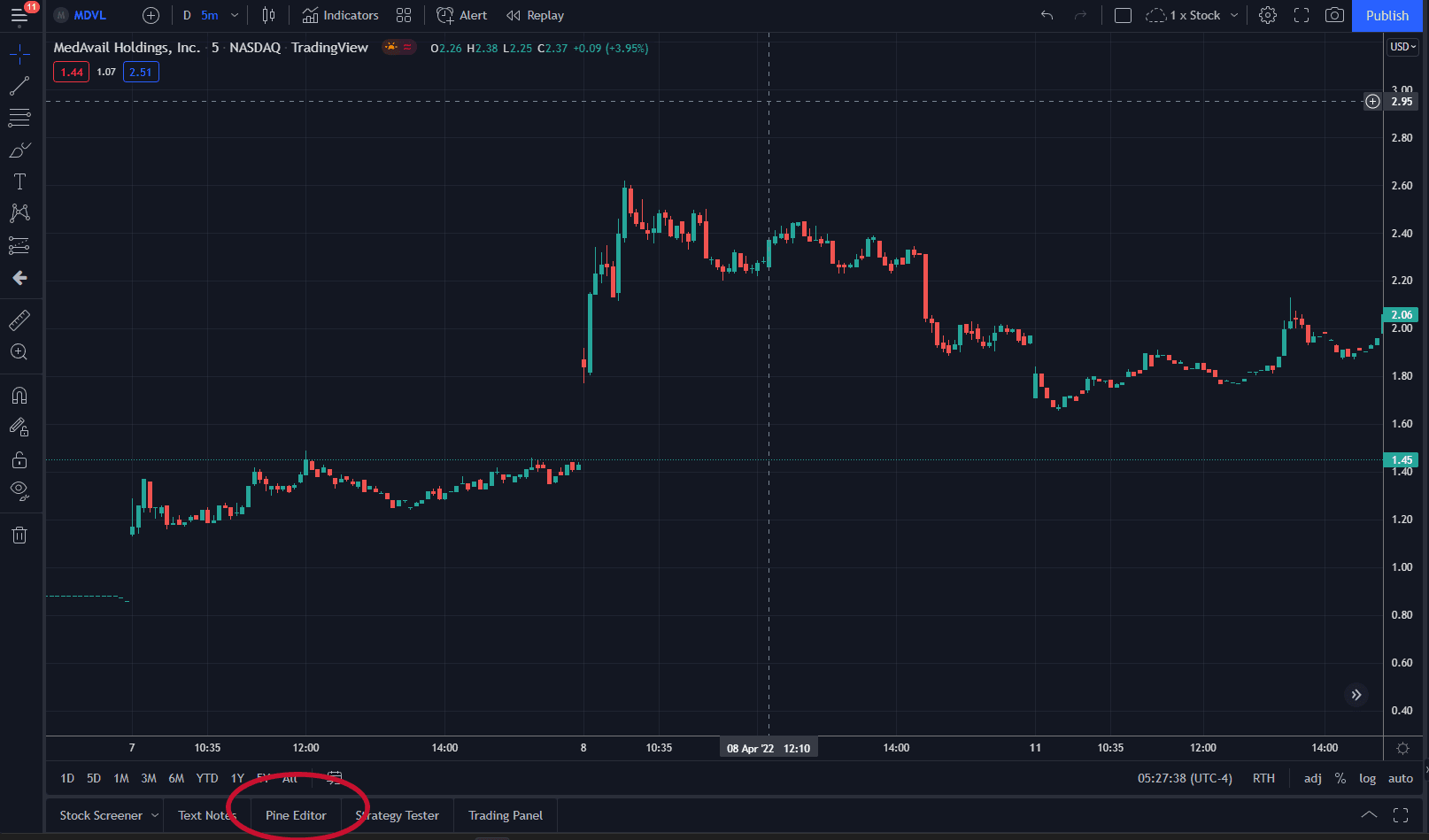
Open up TradingView in a separate browser window
- Paste in the script from your clipboard
- Click on Add to Chart
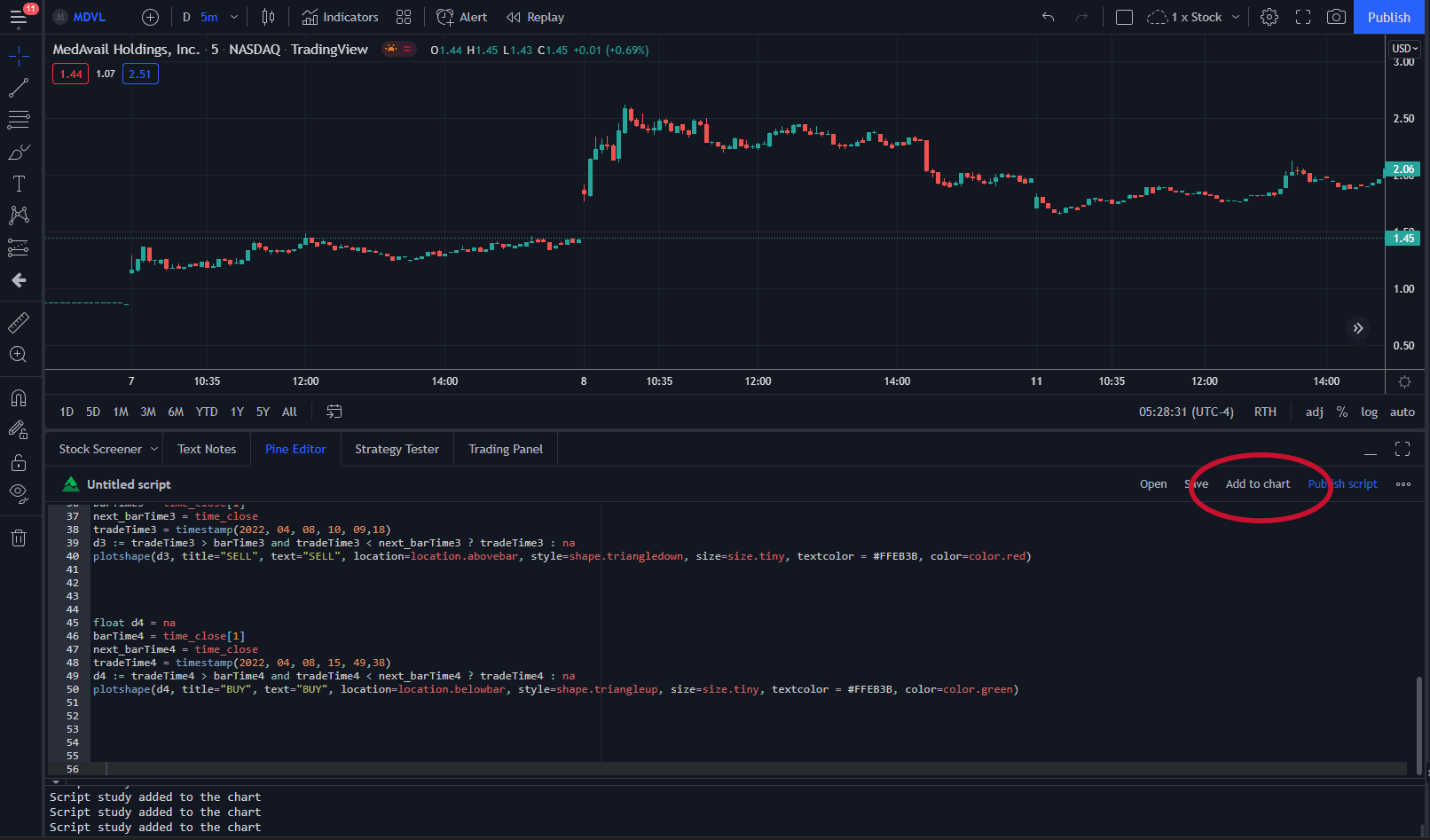
Your entries and exits should now show up as indicators in the chart.
Enjoy analyzing your trade in TradingView!
Availability & Support
The Tradingview export feature is available to all PRO users of kinfo. Learn more about kinfo PRO
The export feature works with any supported broker on the kinfo platform as long as the broker supplies time-stamp on trades. To review broker support, see Brokers
What´s next
There are a number of features on the roadmap ahead, especially for PRO users.
Going forward I will continue to focus on improving the platform, broker integration and adding features based on user feedback.
I love getting feedback from users so if you have anything to say, positive, negative or ideas around how I can make kinfo better, please reach out to me.
The best place to reach me is the kinfo discord channel.
Connect here: Kinfo Discord
You can use the comment section below or send an email to karl [at] kinfo.com
Good luck with your trading!