
Linking Interactive Brokers
Learn how to link your Interactive Brokers account to kinfo.
Interactive Brokers is one of the most popular choices among active traders. Their coverage is outstanding and their trading platform is constantly embraced by professional traders.
Kinfo works great with Interactive Brokers! The integration enables end-users on the Interactive Brokers platform to track their trading performance in a meaningful way using both the mobile app and web version of kinfo.
The kinfo - IB integration enables timestamp on trades for detailed intra-day trade analysis and 4 years of history.
Linking guide
Interactive Brokers has multiple ways of integrating with third-party platforms. Kinfo uses Interactive Brokers reporting services.
Enabling kinfo is a self-service process you complete yourself in the IB Portal. It takes a couple of minutes and there is no need to email IB or wait for approval.
1. Open Third-Party Reports in the IB Portal
Log in to the IB Portal and open Settings.
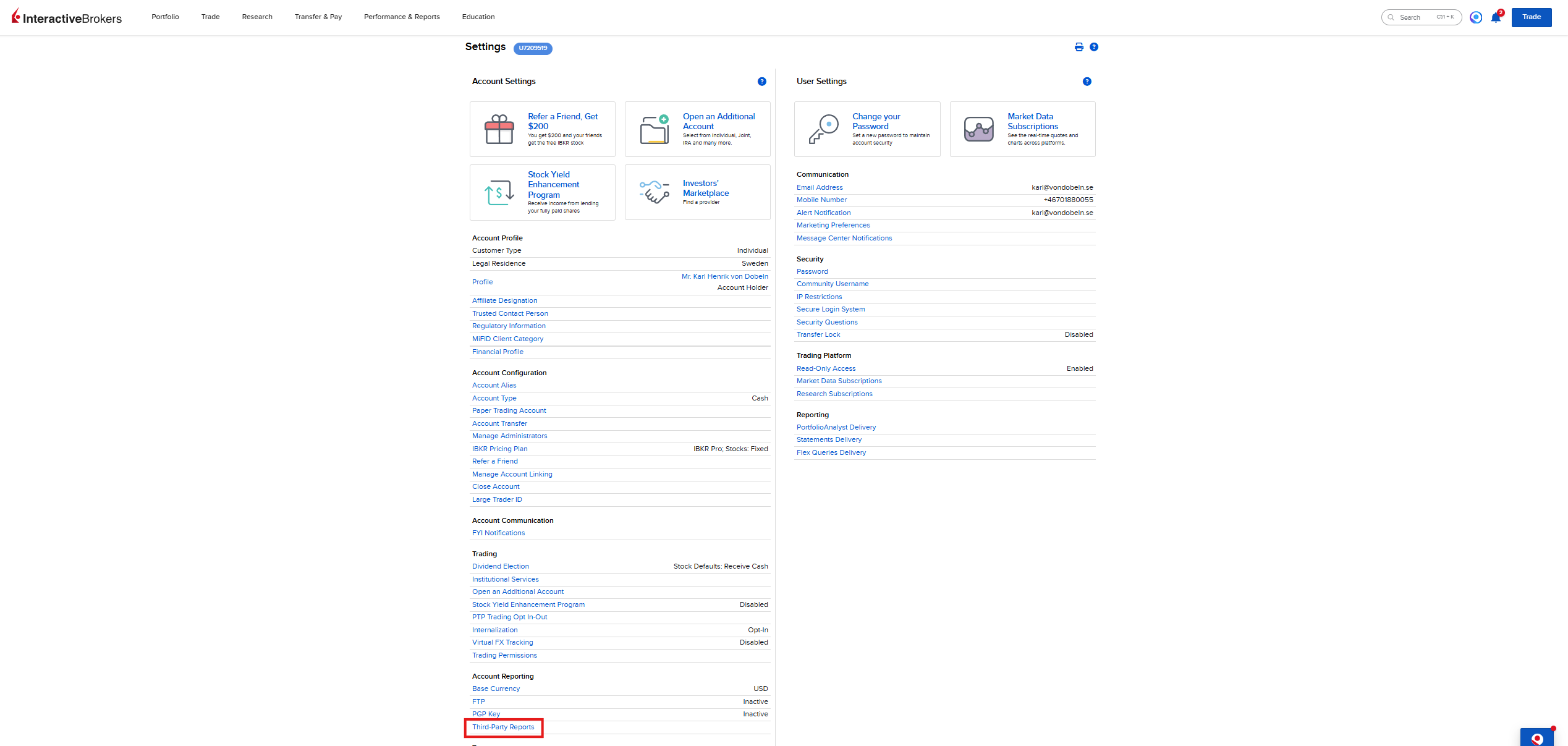
Scroll down the Account Settings column to Account Reporting and click Third-Party Reports.
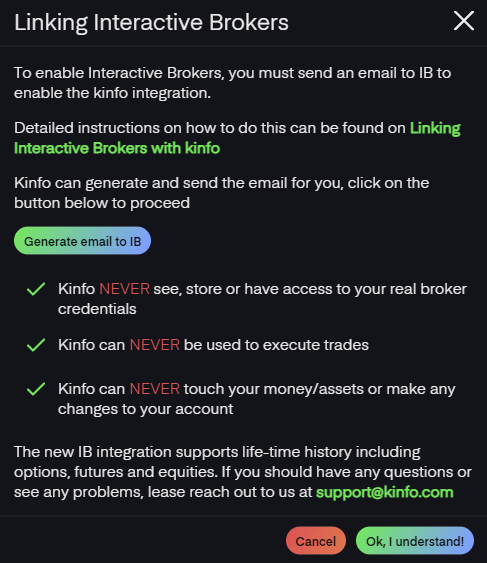
2. Add kinfo as a third-party service
In the Third-Party Services card, click the + button to add a new service.
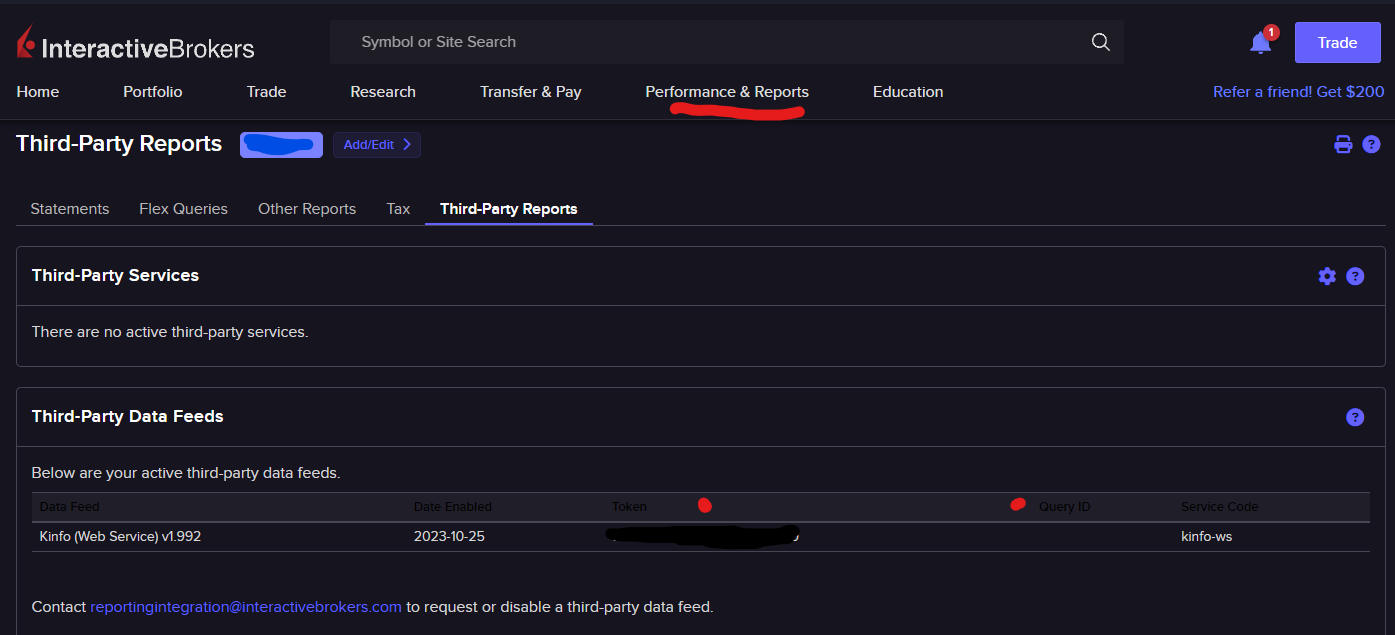
Search for kinfo, select kinfo in the results and click Continue. Follow the confirmation steps IB presents to finish adding the service.
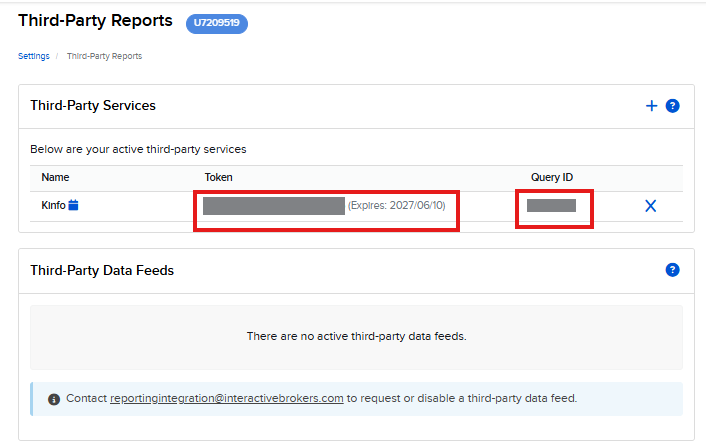
3. Find your Token and Query ID
Kinfo now shows up under Third-Party Services with a Token and a Query ID. These are the two values you need.
Note the expiry date next to the token. When it expires you repeat these steps to generate a new one and update it in kinfo.
4. Link your account in kinfo
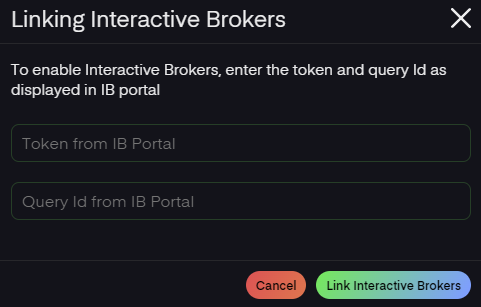
In kinfo, click Interactive Brokers under Broker Integrations and enter the Token and Query Id from the IB Portal.
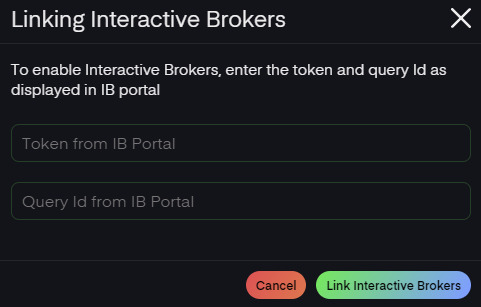
The initial sync may take several minutes to complete depending on how long the account has been active and how many transactions there are.
The sync will run in the background and update metrics once completed.
Important info about weekends
IB systems don't run on weekends which means Friday trades will be available Monday morning.
Track your trading performance
If you completed the steps above your account should be linked to kinfo and the platform will start tracking your trading performance.
When linking, the platform will initially import all history and try to calculate retroactive performance based on transactions.
Going forward, trading performance will be updated daily.
Trades & performance are tracked based on closed out trades and when corresponding buy & sell transactions can be found. If you suspect any errors or have any questions, feel free to reach out on support@kinfo.com
Good luck with your trading!